The problem
Support finds out first. The docs find out last.
A customer hits a limit the help centre doesn't mention. Your team works it out in a thread, and the article stays wrong.
Your internal notes get corrected and the help centre does not, so two people give two answers.
Now your AI agent and every assistant that reads your docs repeat it too, to the next customer, with a citation.
Example: a 50,000-row export limit nobody wrote down.
How it works
From the thread to the page in three steps.
- Bring your articles in. Import the markdown you have or write new ones. Drafts stay inside your organisation.
- ako proposes fixes where your team spots the problem, in Slack or a scheduled check, each with its source.
- The owner approves and a Publisher publishes. Your internal answer and the help article both change.
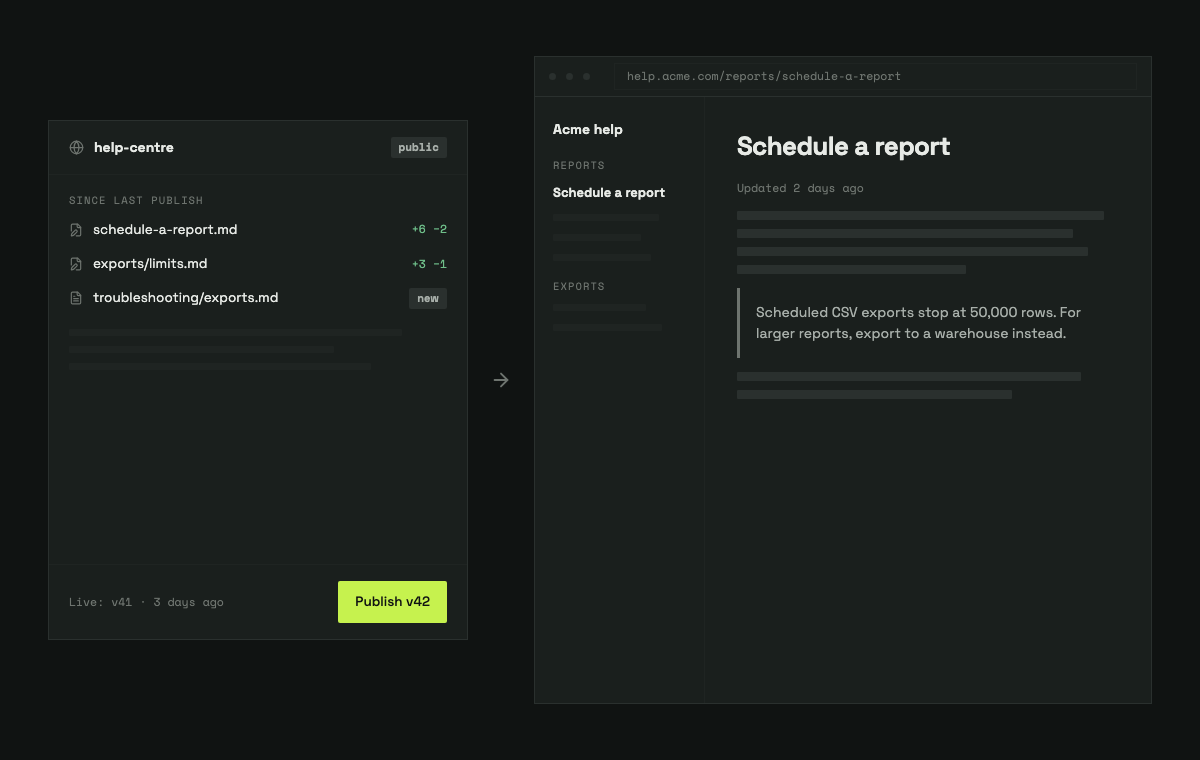
One source
One fix, inside and out.
The fix that corrects your help centre corrects your team's knowledge too. What's internal stays internal: only the published version is ever served outside your organisation.
The fix
+ Stops at 50,000 rows.
Internalsupport brain · exports.mdApproved by Sam
Publichelp centre · scheduled-exportsPublished by Alex
Works beside your helpdesk
Keep Zendesk or Intercom. Keep Slack.
Works today
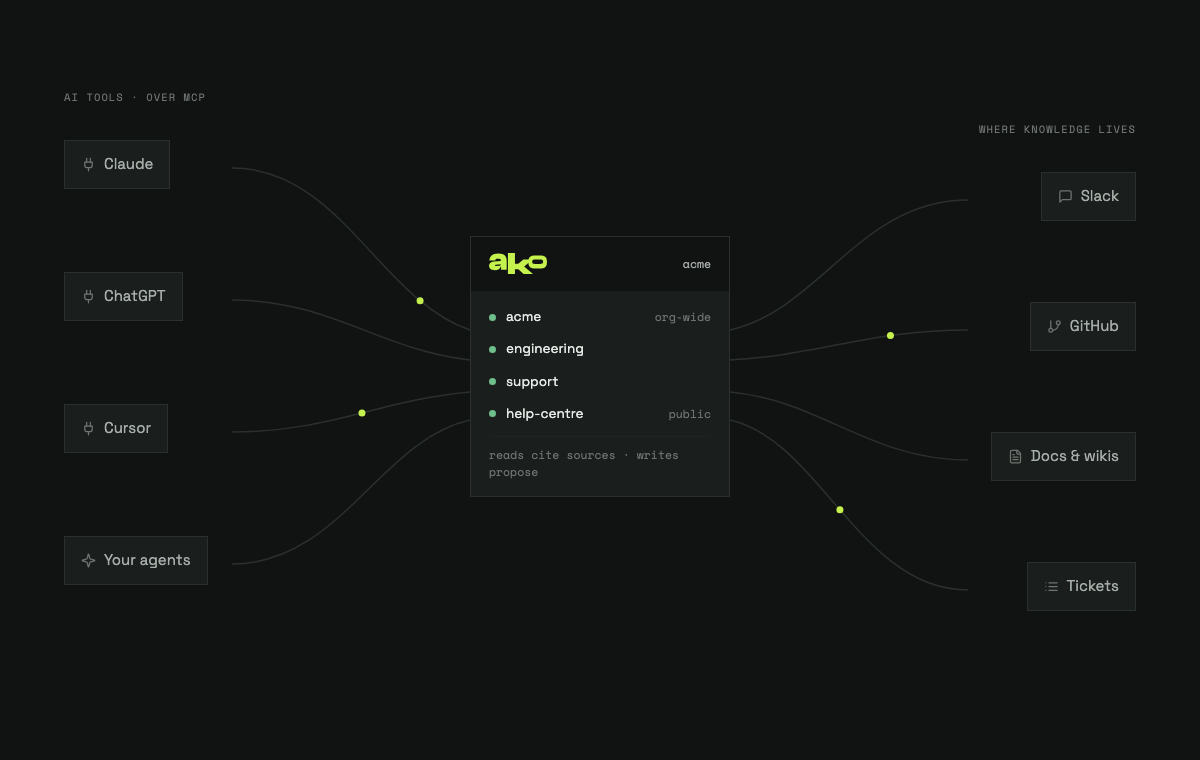
Flag, draft and approve in Slack. Publish a help centre from ako. Answers in Claude, ChatGPT and Cursor.
Import your articles
From Zendesk Guide and Intercom, with their structure kept.
Being built with design partners
Send fixes back
Approved articles pushed to the help centre you already run.
Being built with design partners
Start from the ticket
Read tickets, so a fix can begin with the customer's own words.
Being built with design partners
Leaving Zendesk Guide
Want off Guide? We move it with you.
Being built with design partners, and offered to them first
- Your articles come across with their structure.
- Old links keep working, for customers and for search.
- Run both side by side for as long as you need.
- Cut over on the day you choose.
For people and the AI that reads your docs
Ready for every kind of reader.
Search and a sitemap
Fast search on every page, and a sitemap for search engines.
llms.txt and llms-full.txt
An index and the full text, for assistants that read your docs.
Markdown for every page
Add .md to any address for the raw page.
Your look
Three themes, light and dark, and your colour, checked for contrast before it's saved.
Control
Nothing goes live until a Publisher says so.
- Publisher and Site admin roles, given per person.
- One published version at a time. Roll back or take it offline in a click.
- Hold back a change that isn't ready, and publish the rest.
- Drafts never leave your organisation.
- Every change is recorded: who proposed it, who approved it, who published it.
Proof
Our own docs run on it.
The ako documentation is written, reviewed and published this way.
Design partner programme
Built with the support teams who join first.
You bring a product area, an owner and a little time each week. We bring your articles in, work with you directly and build what you rank first. Partners keep a founding price.
Questions
What support leads ask first.
Do we have to leave Zendesk or Intercom?
No. ako works beside your helpdesk. Moving your help centre is optional.
Does it work with our AI agent?
Any AI that reads your published help centre gets the approved version. Direct connections are being built with design partners.
Who approves, and how much work is it?
The person who owns that area. Only changes that need an owner wait, and they arrive drafted.
We use Teams, not Slack.
Slack works today. Teams is not built yet. It is being built with design partners.
Is single sign-on built?
Not yet. Sign-in with Google works, and roles are enforced everywhere.
What if ako disappears?
Your content is plain markdown in git. You can take it with you at any time.
Answers your team, your customers and their AI can trust.
We're inviting new teams now. We'll only email you about your invite.
You're on the list.
Five quick questions help us decide who to invite first. All optional.
You're in.
We'll email you when your invite is ready.